

We’ve all been there. One moment, you see an ad on Facebook, and the next, that same ad pops up again on Google. Are we being tracked by someone? Yes and no. If you’re wondering how ads follow you around the Internet, it’s actually a marketing trick that most businesses turn to. Get the ball rolling to unlock this myth!
In This Article:
Why Ads Keep Following Me Around The Internet
If you keep encountering the same ad on multiple platforms when browsing the Internet, it’s due to cookies used by websites. When you visit a website, cookies (small bits of data) will be saved to your web browser. They can track your online behavior, such as visited pages, time spent on each site, login credentials, buying history, and more.
Marketers use cookies to collect customer data for retargeting, a popular marketing strategy. In particular, if they notice you visit or search for a product without making a purchase, advertisers will retarget ads about that product to you when you browse on other online platforms. That’s why you feel like ads are following you around on the Internet.
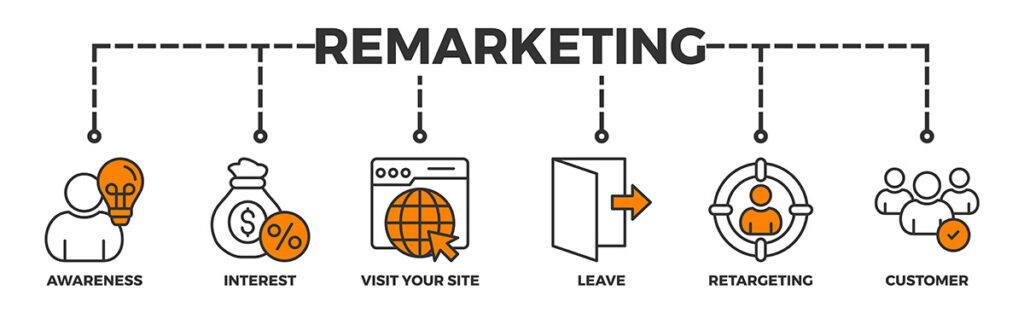
The repeated encounters with the same product will reignite your waning interest, potentially encouraging you to go further into the buying journey. While you might feel retargeted ads annoying, this marketing strategy proves highly effective. According to Cropink, the retargeting tactic helps reduce the shopping cart abandonment rate by 26% and increase the brand recall by 57%.
How Facebook and Google Track Your Online Behavior

The report by Cropink also reveals that over 80% of retargeted ads are on Google and Facebook. Here’s the kicker: they are watching you even when you are not visiting their sites.
Facebook leverages Social Plugins (the Like and Share buttons) and Facebook Pixel, now known as Meta Pixel, to track users’ browsing history. Like cookies, Facebook Pixel is a piece of code embedded on pages and external websites, recording your online activities, such as your page visits, add-to-carts, video views, etc. Then, marketers will use these insights to tailor their advertisements to your recent interests on your Facebook feed.
Likewise, Google relies on cookies and other tracking technologies like web beacons to track your behavior on websites.
Is Retargeting A Privacy Issue?
On the bright side, the use of cookies allows for a more personalized browsing experience. However, privacy and security remain a major concern among Internet users:
Some websites utilize cookies without explicitly informing users. This lack of transparency sows seeds of privacy concerns about how marketers use their personal data. The risk of information leaks, fraud, identity theft, and other security breaches is also heightened.
The good news is that many websites now inform visitors of their use of cookies. You might encounter requests like “Accept all cookies” or “Allow cookies” when first visiting a website. Stricter rules regarding security protection have also been introduced in CCPA in the US and GDPR in Europe.
11 Ways To Stop Ads From Following You And Stay Secured Online
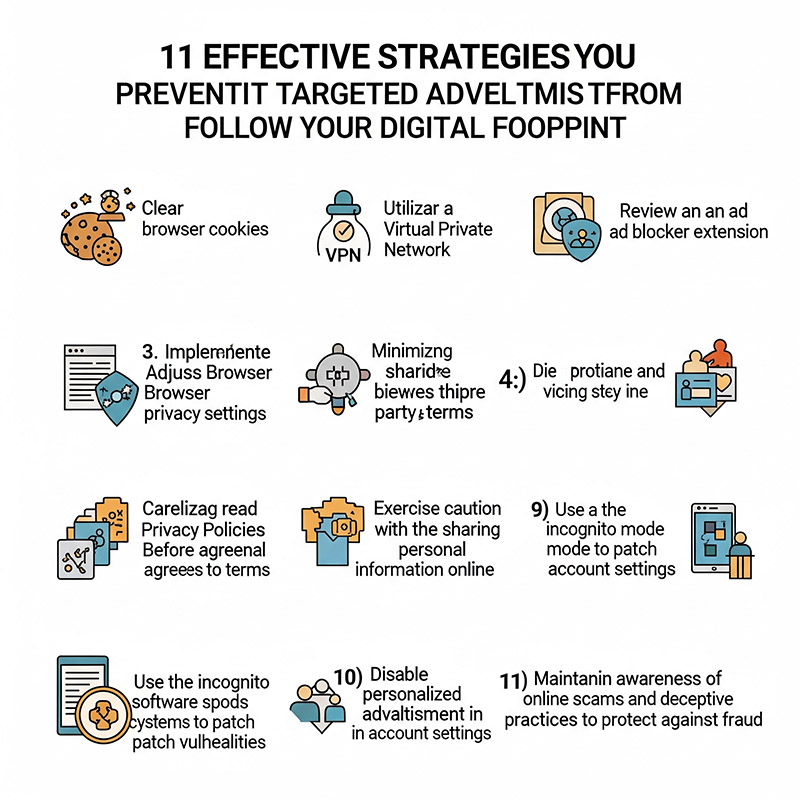
If you’re worried about the security risks associated with cookies and other tracking tools, apply these tips to restrict their uses:
- Clear cookies and browsing history: Your data is saved thanks to cookies. So, if you clear cache, cookies, and your browsing activity frequently, marketers won’t have the data to retarget their ads to you anymore.
- Try a VPN (virtual private network): A VPN service allows you to hide your IP address and encrypt your Internet connection, giving you an extra layer of online protection. This is especially beneficial when using public Wi-Fi, which is easily attacked by cybercriminals.
- Use an ad blocker: This is the easiest way to stop annoying ads.
- Check your browser settings: You have the option to block third-party cookies when browsing the Internet. So, check and adjust the privacy settings on Google or social media accounts to control the information you share.
- Minimize third-party data sharing: Only allow for data-sharing on trustworthy platforms.
- Check the privacy policies: When visiting a website or social media platform, remember to read their privacy policies carefully to understand their use of cookies.
- Think carefully before sharing personal information: Be careful when sharing sensitive information like ID numbers, financial details, full addresses, or phone numbers. They’re on hackers’ radar.
- Frequently update your software: Outdated apps, browsers, or operating systems are prone to fraud and malicious activities. So update them to ensure you receive the latest security measures.
- Turn on the incognito mode: This mode deletes your browsing history, cookies, site data, and information entered in forms from your device. So, retargeted ads can’t work here.
- Disable personalized ads: Some platforms like Google and Facebook enable their users to opt out of personalized ads. You can disable this function if you find the ads annoying.
- Beware of online scams and fraudulent attempts: Don’t fall for fishy websites, messages, or emails that require you to provide personal data. Also, never download apps and attachments or click on suspicious links from unknown sources.
Wrapping Up
Now you know that ads following you around boils down to the retargeting strategy. Websites and platforms like Facebook rely on cookies to track your data and retarget ads to encourage sales. While this tactic helps personalize your browsing experience, it also poses some security risks. So, stay vigilant online and only share your personal information with trusted sites!